


We’ve added more functionality in the PlanHero dashboard for our organizers.
Sometimes, organizers want to delete all signups AND contact information associated with a participant. Now you can do this straight from your Signups tab.
You might want to use this feature when a colleague or volunteer has left the organization. In addition, customers often create an Event and then send it out to a few colleagues or friends for a trial run. When completed, they want to delete those signups and their contact information altogether for the “real” Event launch.
How to delete signups AND contact information from you Signups tab:
STEP-BY-STEP INSTRUCTIONS
To DELETE ALL signups AND contact information for a participant, do the following:
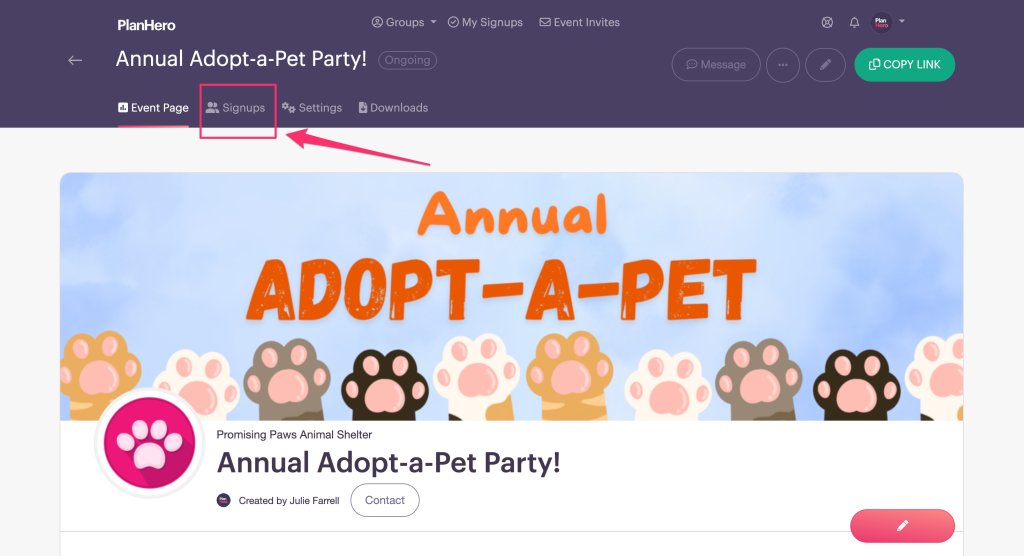
- Click the SIGNUPS tab in your PlanHero dashboard.
- Scroll down to (or search for) the participant whom you wish to remove from the Event.
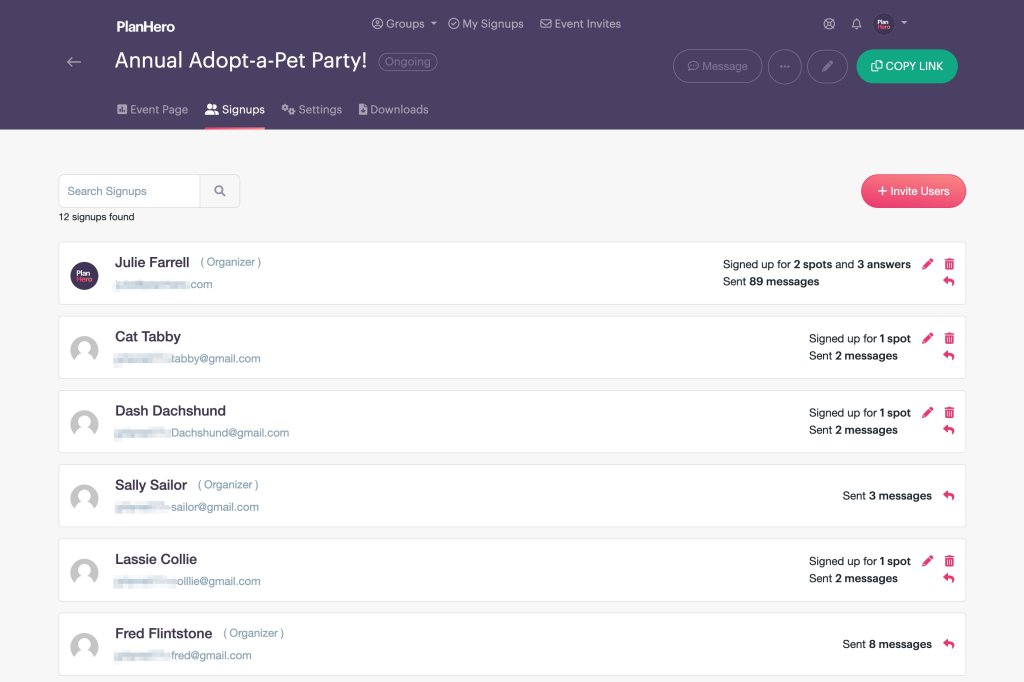
- Click on the TRASH CAN.
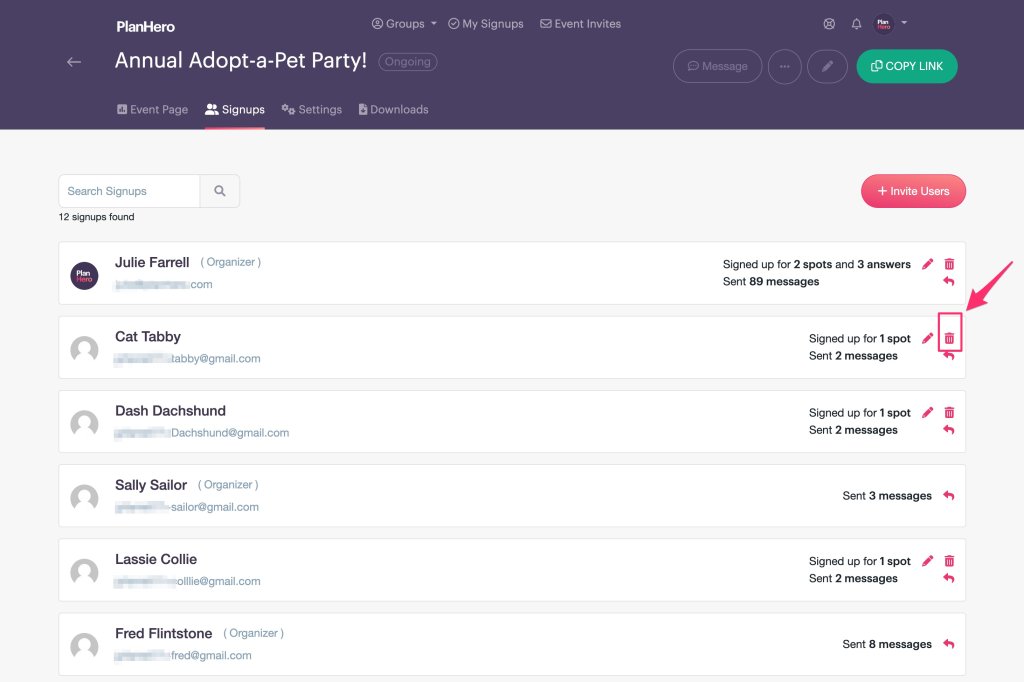
- Click OK on the pop-up screen. NOTE: This action is irreversible. Once clicked, it cannot be undone. All data associated with this participant cannot be retrieved.
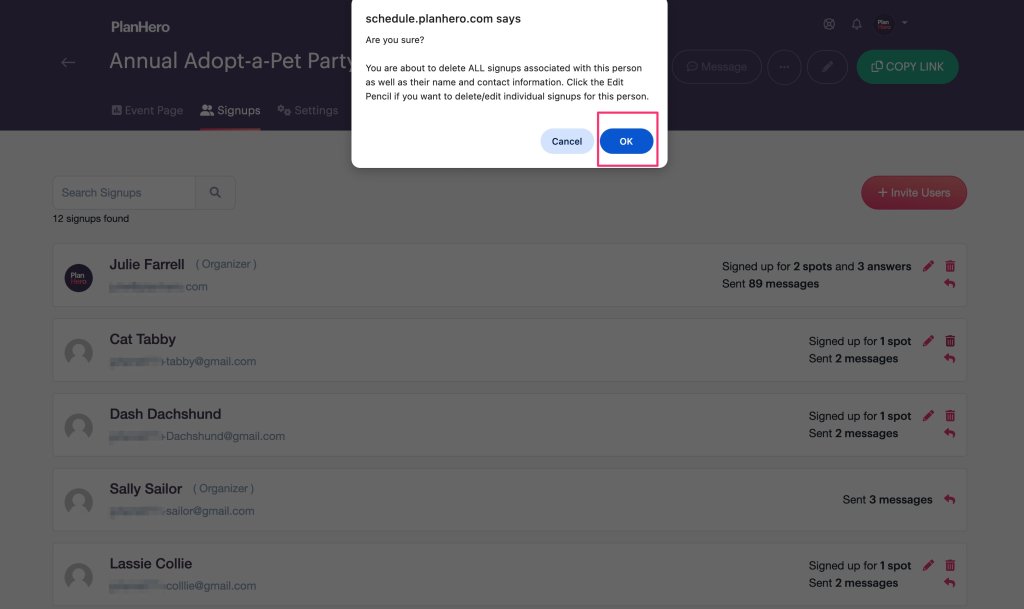
- The participant and all their associated signups will be deleted from this Event.
- NOTE: You cannot delete the contact info and person who is an Event organizer, nor a person who has initiated a message thread.
To EDIT signups for a participant, do the following:
- Click the SIGNUPS tab in your PlanHero dashboard.
- Scroll down to (or search for) the participant whose signup(s) you wish to edit.
- Click on the EDIT PENCIL.
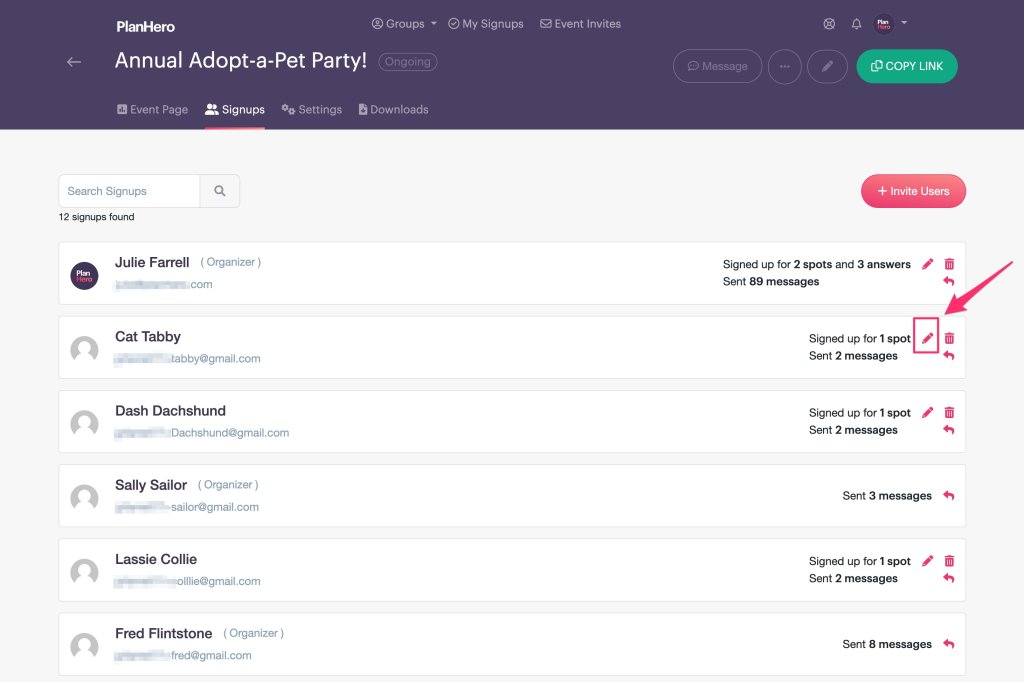
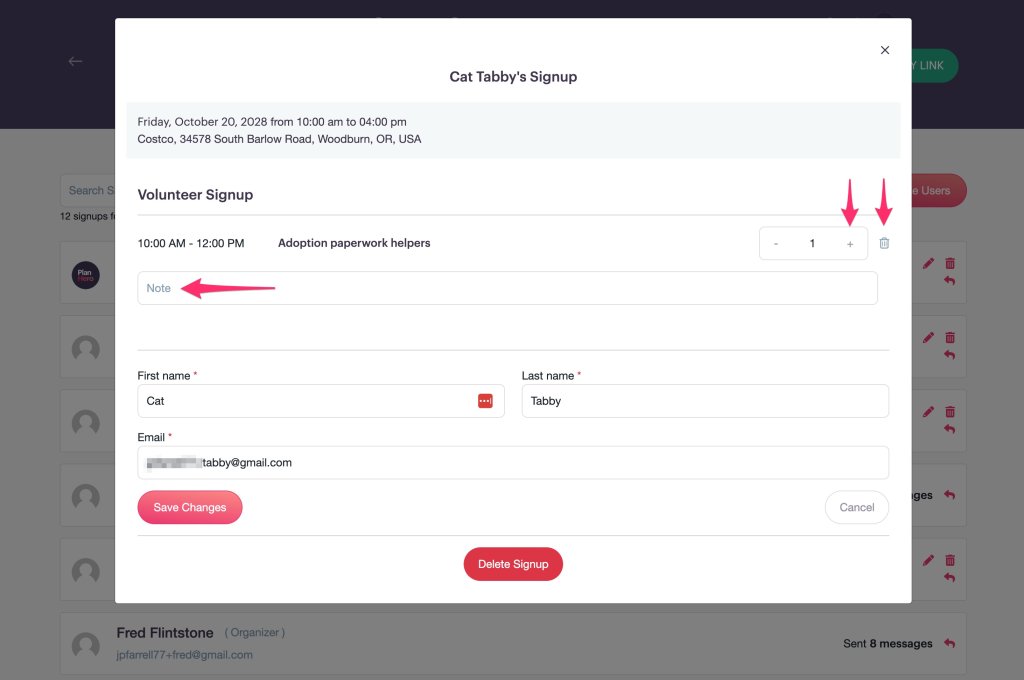
- Scroll down to the individual signup that you wish to edit or delete.
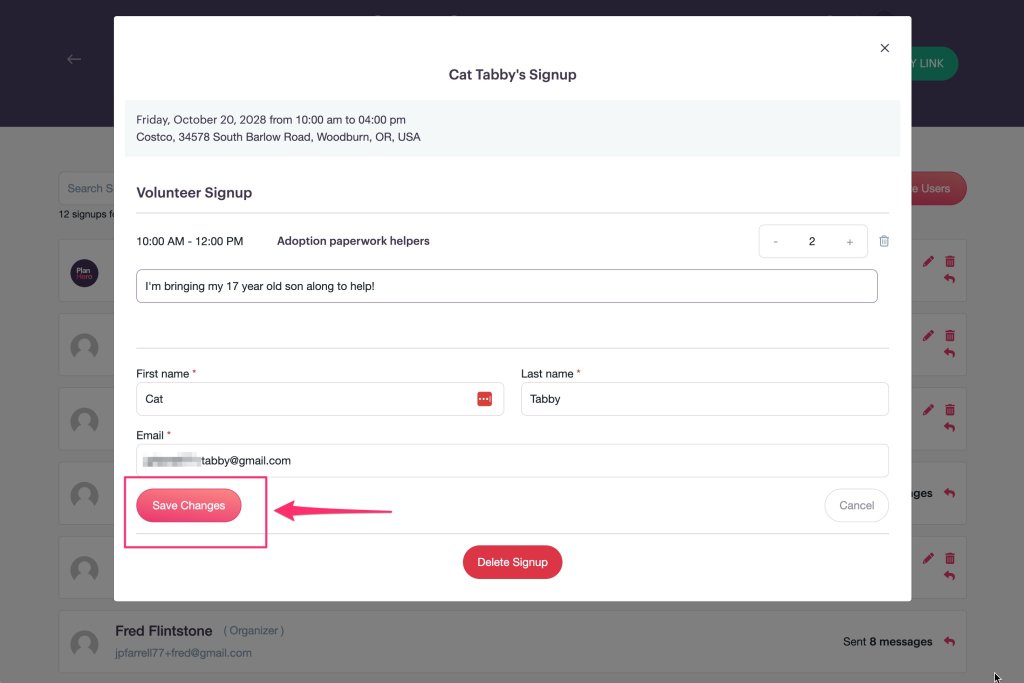
- Make your changes.
- Make sure you click the SAVE button.
- Click the CLOSE button or the “X” to return to your PlanHero dashboard.

Questions? Contact us!
