


On PlanHero’s Pro plan and above, you can invite people to become members of your Group.
Below is the onboarding flow that you can share with your prospective new members so that they understand how the process works:
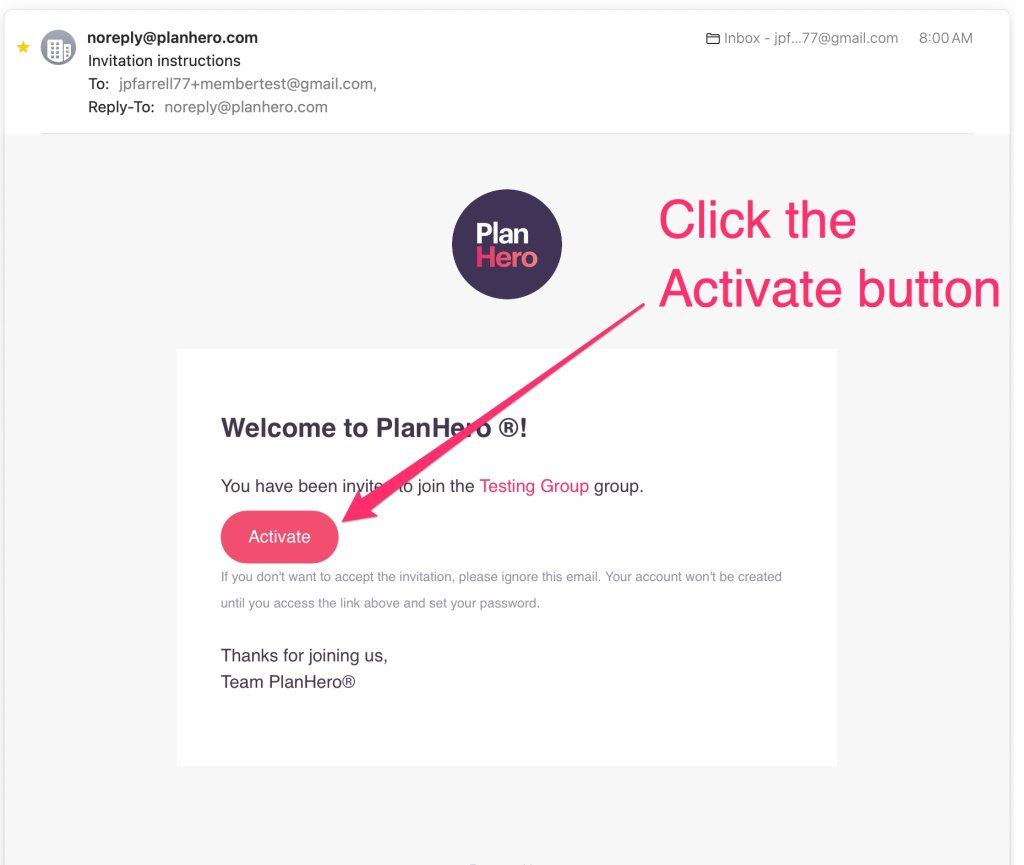
New Member will receive an email asking them to join the Group.
1. Click on the Activate button.
The next screen will prompt you to select your subscription plan for your personal account.
2. Click on the Continue with Free button.

3. Click on the Save button.

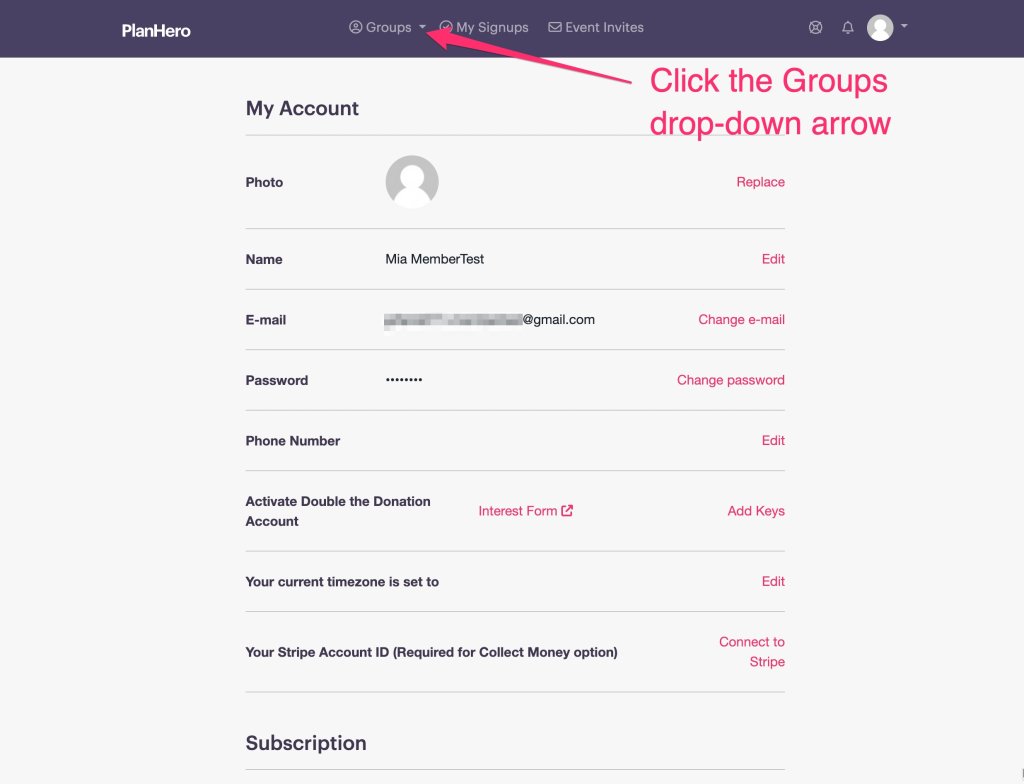
4. Click on the Groups drop-down arrow.
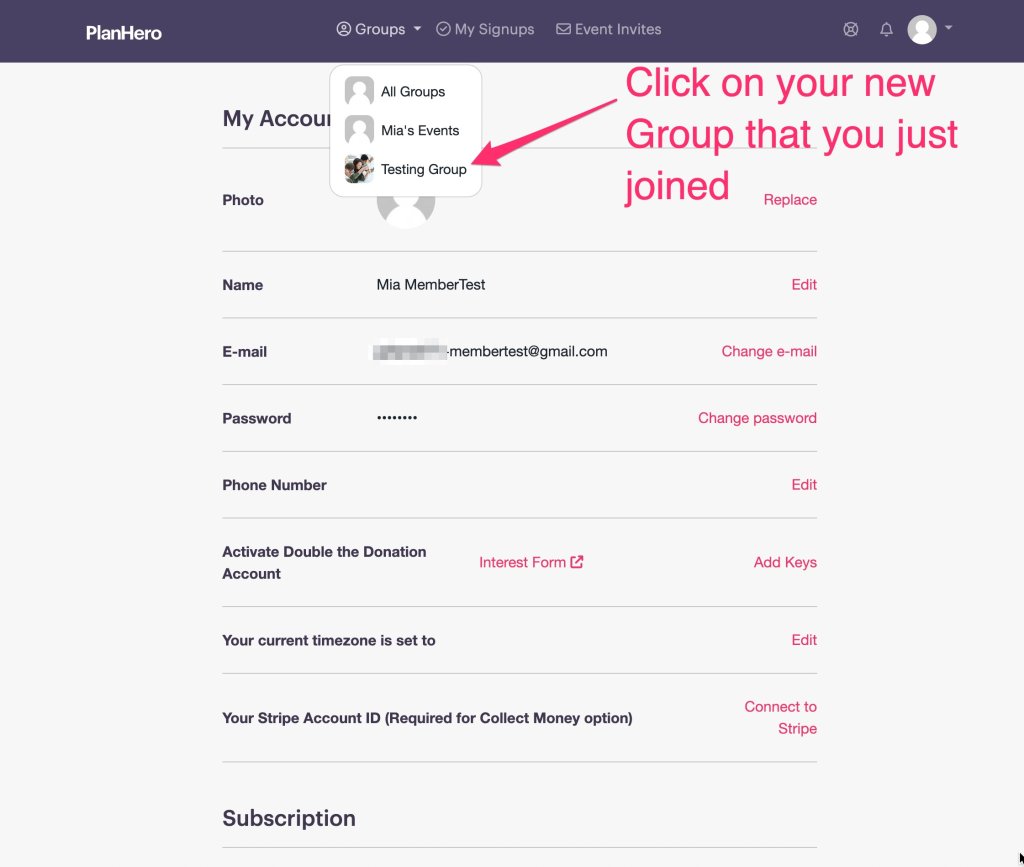
5. From the Group drop-down list, click on the Group to which you just joined.
6. Now you will see all of the sign up opportunities available to you for your Group.

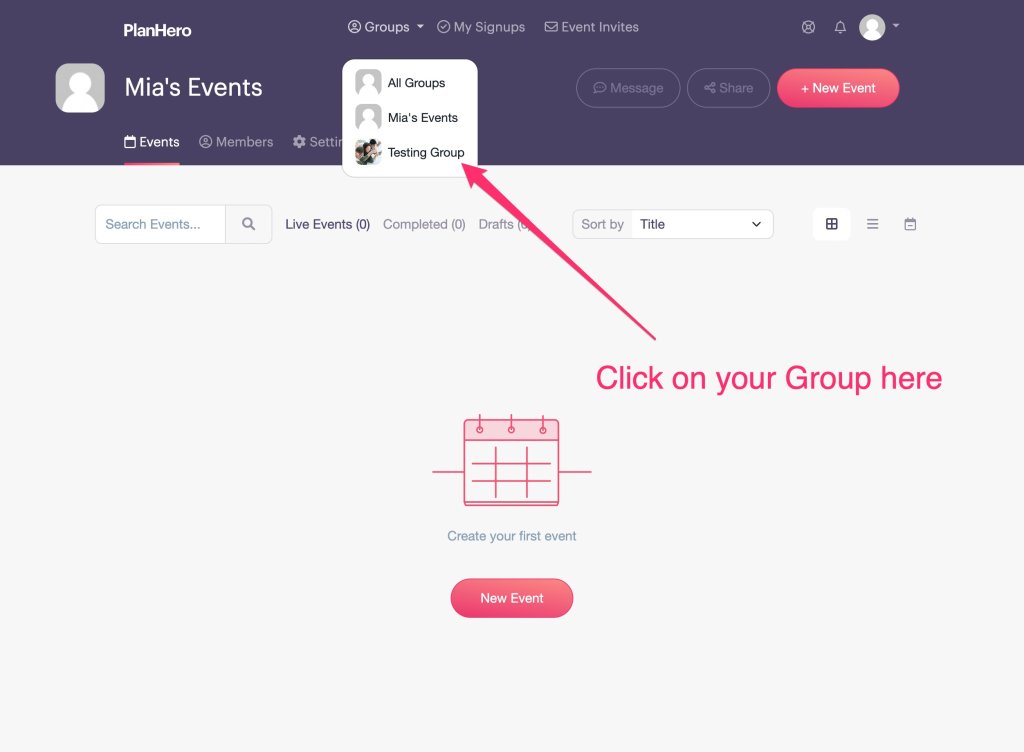
7. In the future, when you log in, you will see this screen. To find your Group, click on the Group drop-down arrow.

8. From the Group drop-down list, click on the Group to which you just joined.
9. Now you will see all of the sign up opportunities available to you for your Group.
