


Need to capture all those contact details from people who sign up as a group?
With our Group Signup feature, you can capture the contact details of all persons in a Group Signup.
When enabled, a Group Leader (the person doing the signing up for the Group), can download a CSV template, populate it with their Group Participant’s contact details, then upload it to PlanHero.
Double win
First, your organization will acquire all of the contact info for all of the Group’s participants. This allows you, as the organizer, to reach out to Group Participants in the future.
Second, the Group Leader will know that their Group’s participants will all receive event reminders automatically.
How to enable Group Signups
The Group Signups feature is available on Pro Plans and above.
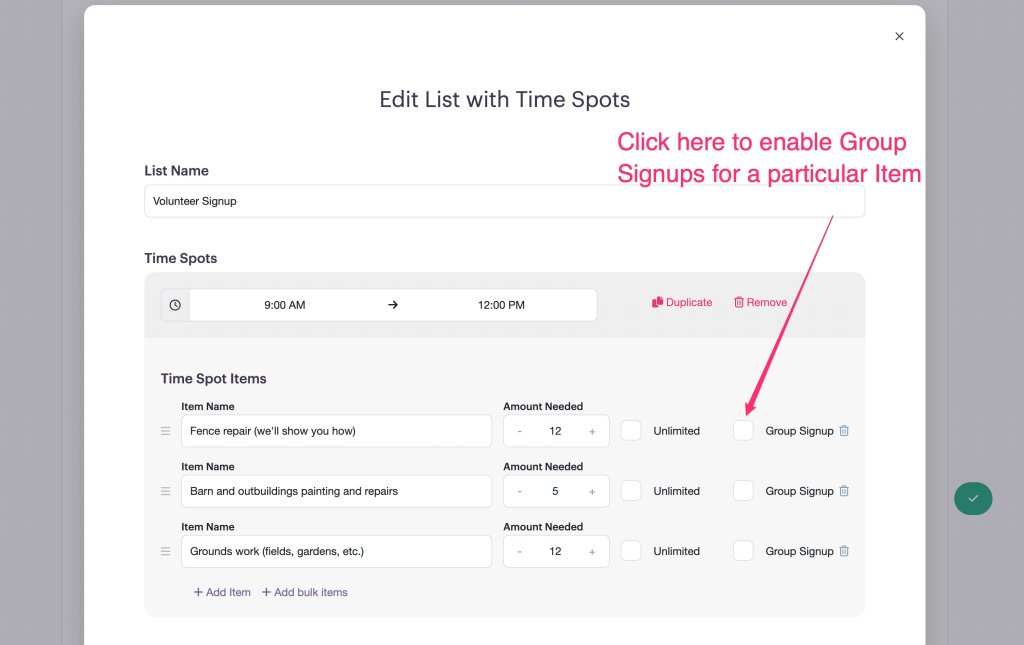
When you are creating a List, you can select which List Items will have the Group Signups feature enabled.
Simply check the Group Signup box to enable the feature.
NOTE: If the box is NOT checked, people can still sign up for multiple spots (unless you’ve set limitations in your Event Settings), they just won’t be able to enter contact information for the individual participants for signups greater than one person.
How to use the Group Signups feature
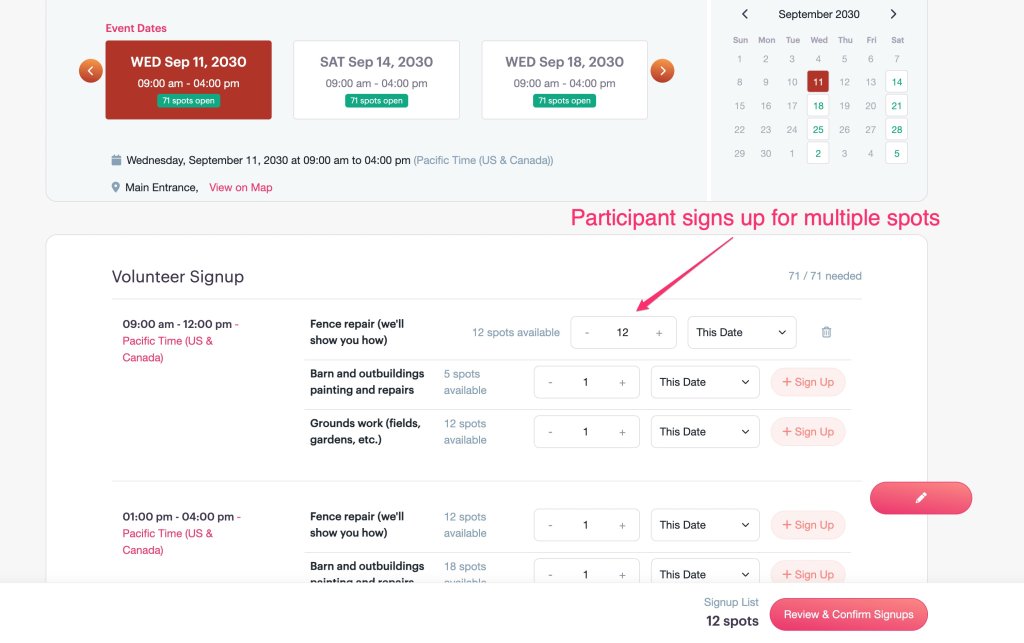
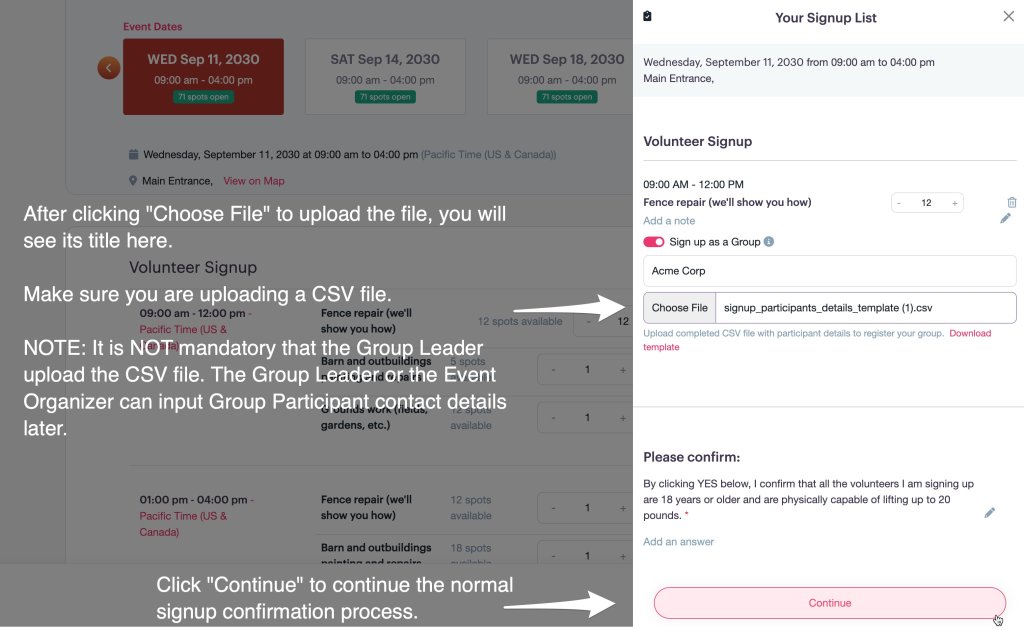
- Enter a number greater than “1” for the Amount Needed
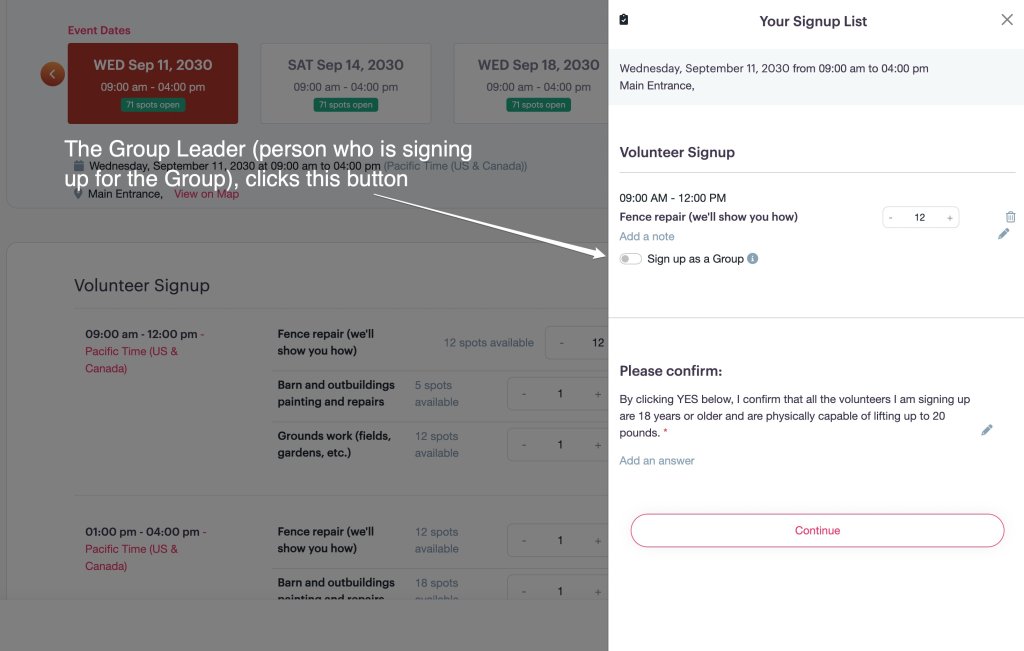
- Click the Sign up as a Group button
- Enter the name of the Group in the Group Name field: e.g. your company or service club name
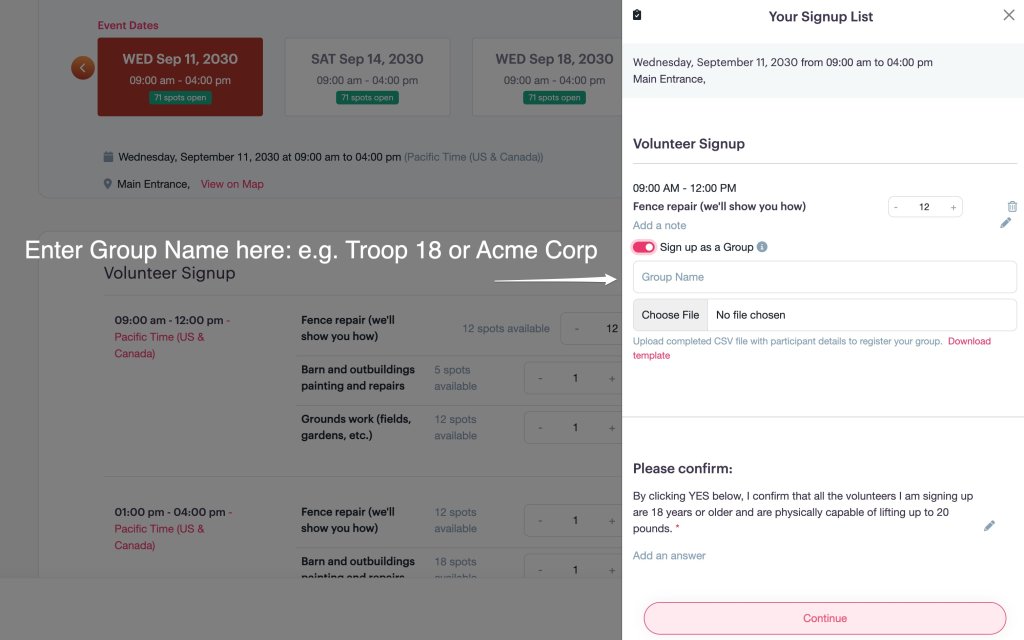
- Click on Download Template.
- Enter the contact details for the people in your Group (you do not need to include yours as you will input them on the final confirmation screen).

- Click Choose File to upload the freshly populated CSV Template file.
NOTE: If you (the Group Leader) do not have the participant contact details available, you are not required to upload them at this point. You can complete your signup and add them later. To do so, you will need to create a FREE PlanHero account.
- Click the Continue button.
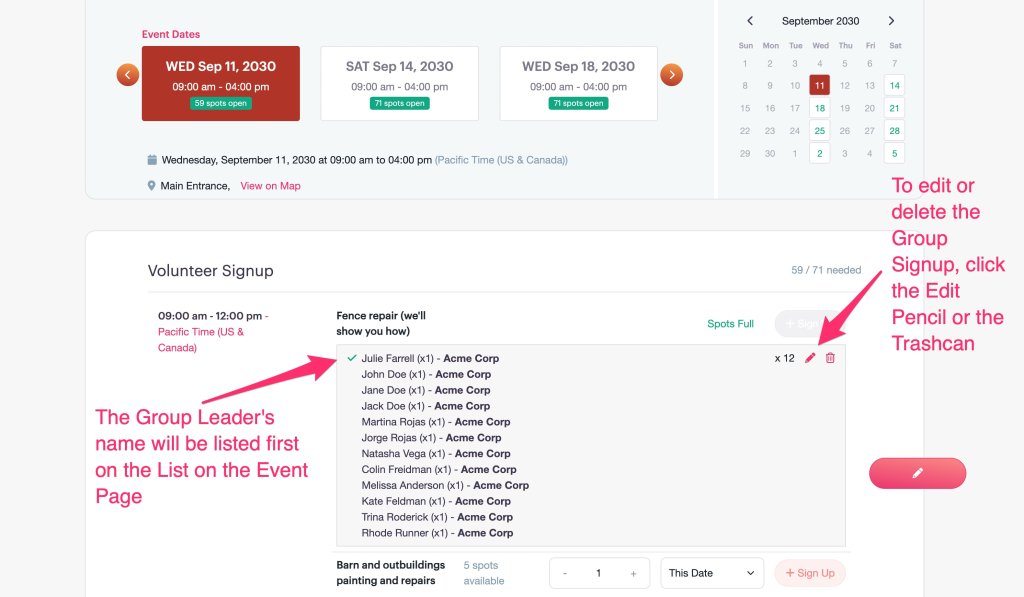
- The Group List will be visible on the Event Page (unless the Event List is set to Private). The Group Leader’s name will be listed first.
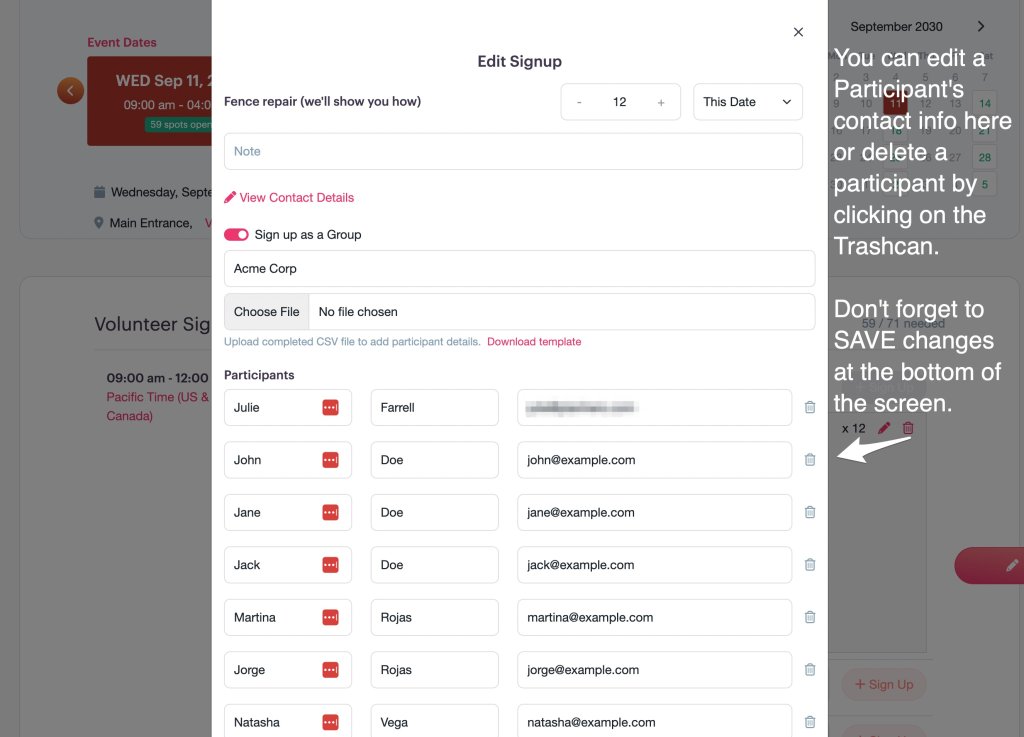
- To edit or delete the Group Signup, click the Edit Pencil or the Trashcan.
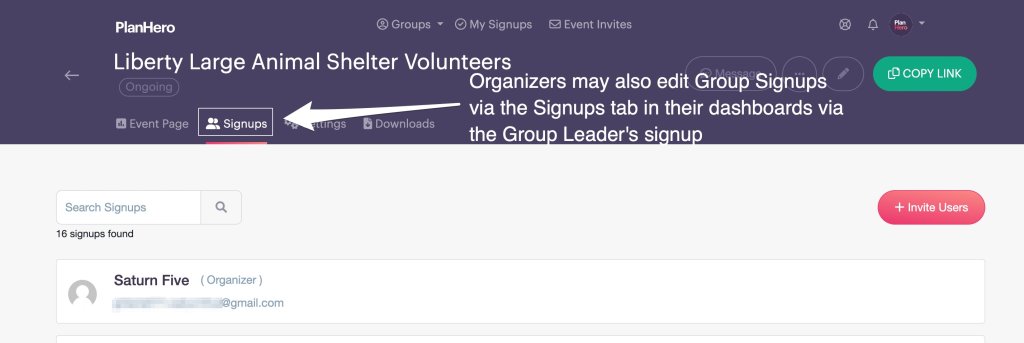
- An organizer can edit the Group Signup from the Event Page or via the Signups tab in their dashboard.
- The Group Leader can edit the Group Signup from the Event Page (only during the same browser session) or via the My Signups tab in their dashboard (after creating a FREE PlanHero account).
- Don’t forget to scroll down and SAVE your changes.
- Here is where the organizer can edit the Group Signup via the Signups tab in their dashboard.
- If the Group Leader does not have all of the Group Participant contact info at time of signing up, the organizer and/or the Group Leader can enter the information later via their PlanHero accounts once the info is available.

- Here is where the Group Leader can edit the Group Signup via the My Signups tab in their dashboard (after creating a FREE PlanHero account).

- If the Group Leader does not have all of the Group Participant contact info at time of signing up, the organizer and/or the Group Leader can enter the information later via their PlanHero accounts once the info is available.
Questions?
Just contact us! We are happy to help.
