


Do you have a super popular event that everyone wants to sign up for?
For single date events, you can use our locking feature to “lock” an event until a certain date.
But what about for a recurring date event?
Some examples might include a popular weekly meal, or perhaps a weekly signup for a popular school activity. In the business world, it might a weekly signup for a perk like a massage chair. Or maybe it’s a highly competitive signup for weekly receiving leads for various locations in a real estate firm.
Whatever the case, we have you covered. To give everyone a fair shot each week (or month, or day), you can restrict when future dates become “available” for signups. This feature is available in our Pro and Enterprise subscriptions only. It allows you to disable signups for future dates.
Check out our video tutorial below:
You’ll find this feature in your EVENT SETTINGS.

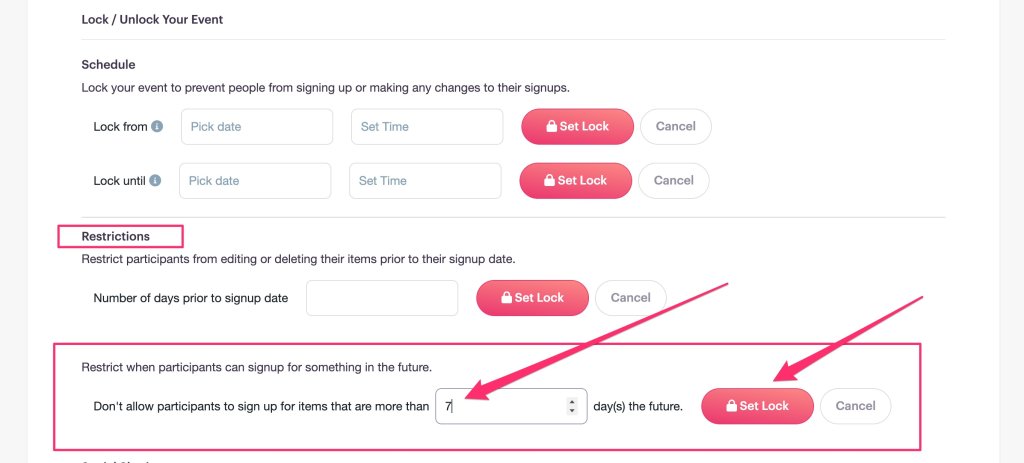
Scroll down to Lock/Unlock Your Event and click on Configure Event Locking

Under Restrictions, scroll down to Restrict when participants can sign up for something in the future.
Then enter the number of days, then click on the Set Lock button.
That’s it! As always, reach out with any questions.
