

There are two types of text features in PlanHero.
With any subscription plan, participants may opt-in to receive texts during the final signup confirmation process.
First type of text feature: Free Reminder Texts
As an organizer or admin, you may set up to two reminders for your participants. Participants who have opted-in to receive texts will receive these reminder texts at no additional charge to the PlanHero account owner. This is the first type of text feature.
Second type of text feature: Paid Update Texts
The second text feature allows organizers and admins to send updates about their Event or Group via email and/or via text (SMS). In order to send these updates via text, the account owner must purchase Text Bundles. Text Bundles are offered in four different quantities of “text credits.”
What’s a “text credit?”
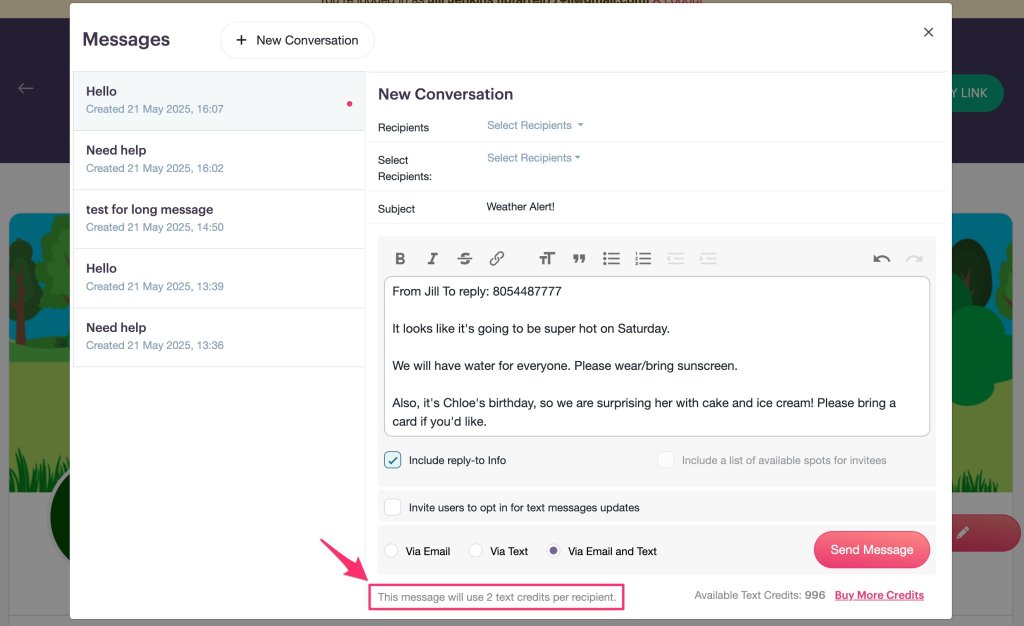
A text credit is quantified by our text (SMS) service provider and is based on the character count in a given message. An extra long text message, may “cost” more than one text credit per recipient. At the bottom of your Text Message, we’ll let you know how many text credits per recipient your message will use.
Opting-in to receiving text messages
There are two ways for participants to opt-in to receiving text messages from PlanHero.
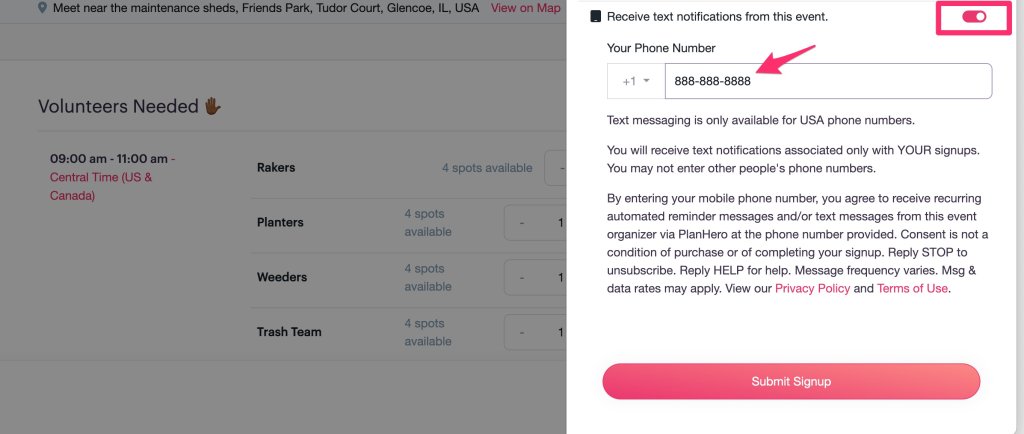
1. Opting in during the signup confirmation process. A participant can check the box and enter their mobile phone number (USA only) indicating that they want to receive texts from the PlanHero event organizer.
2. Opting in via an invitation from the Event organizer or Group Co-admin or Account Owner. When creating a message, you can invite participants to opt-in to receiving text messages. These opt-in invitations are sent via email.

How do I know whether or not someone has opted in to receiving text messages?
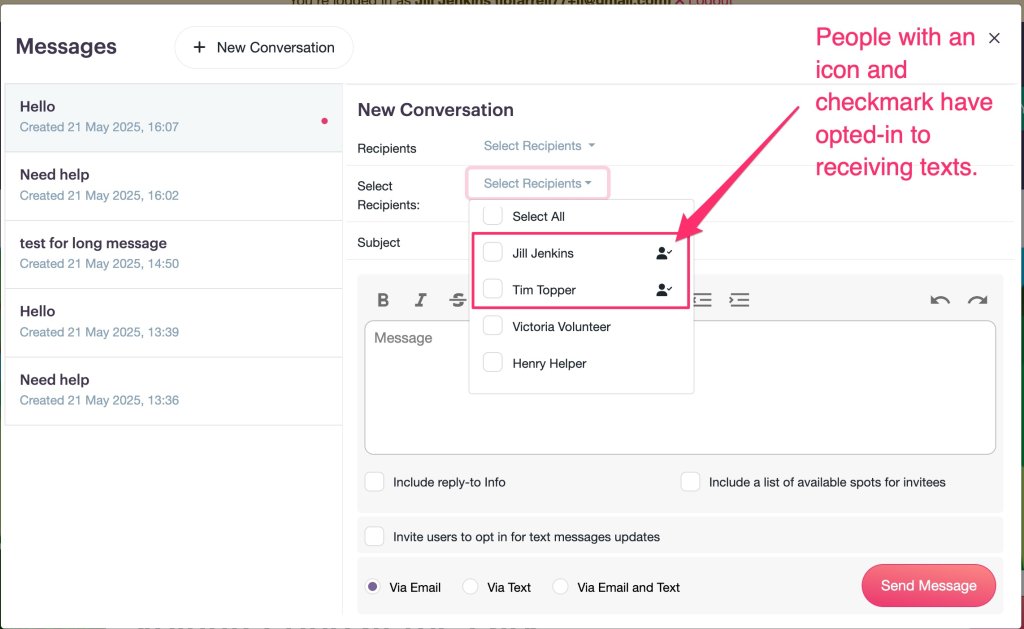
Any participant who has opted in will have a check icon next to their name indicating that they have opted-in to receiving text messages.
How much to Text Bundles cost?
We offer four levels of Text Bundles:
- 250 = $ 5
- 500 = $ 9
- 1,000 = $17
- 5,000 = $59
How do I purchase Text Bundles?
You may purchase Text Bundles by navigating to your Account Settings.
- Click on My Account

- Scroll down to Text Bundles

- Purchase what you need!

If I’m getting low on text credits and need to buy another Text Bundle, do I lose my remaining text credits?
Absolutely not. Your remaining text credits will added to the new Text Bundle that you purchase. For example, if you have 48 text credits remaining and wish to purchase a 1000 Text Bundle, you will now have 1,048 text credits remaining.
How do I know how many text credits I have left?
You can find this information in two places:
1. You’ll see how many text credits are available in your account whenever you send a message via text.

2. You can see your available text credits in your Account Settings.

