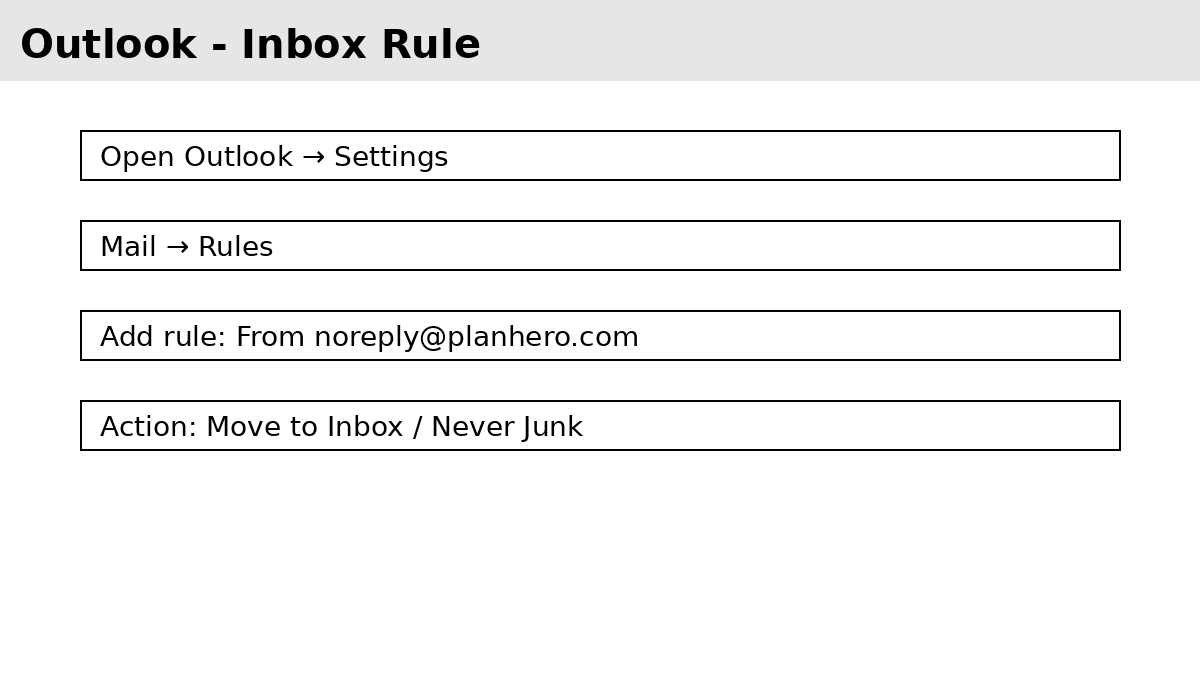


If you find that PlanHero emails are going to your participant’s spam or junk folders, please ask them to take the following steps:
These quick actions help make sure emails from noreply@planhero.com always arrive in your Inbox.
Gmail – Add noreply@planhero.com as a Contact

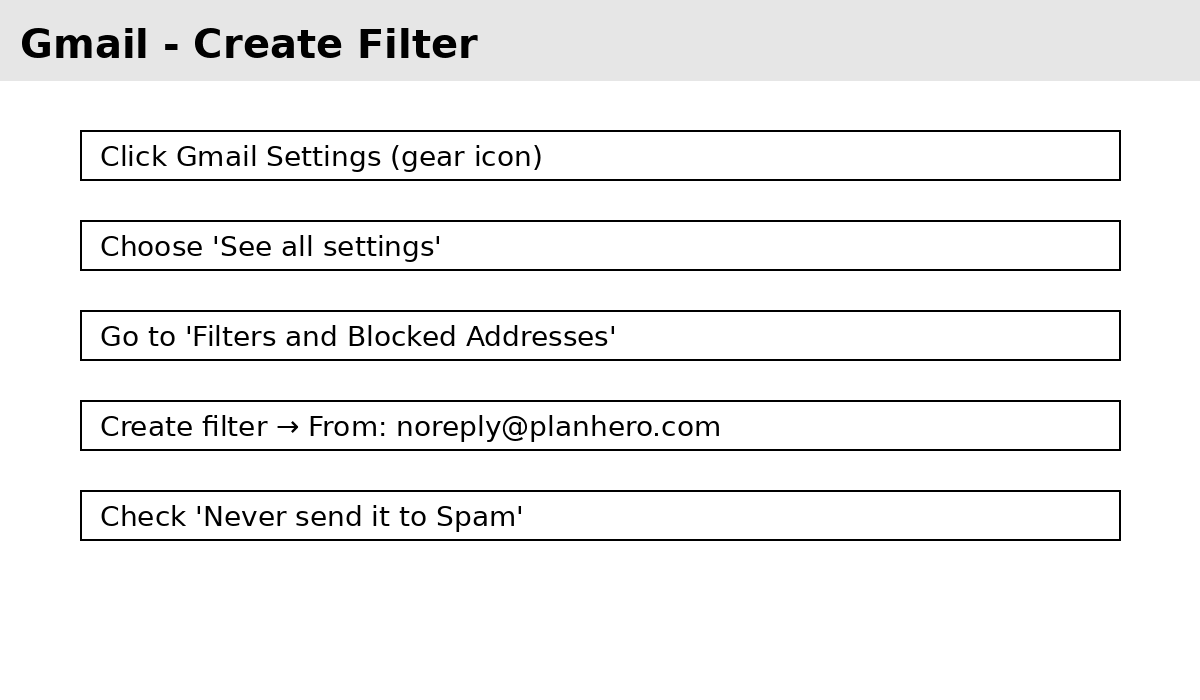
Gmail – Create a Filter to Prevent Spam
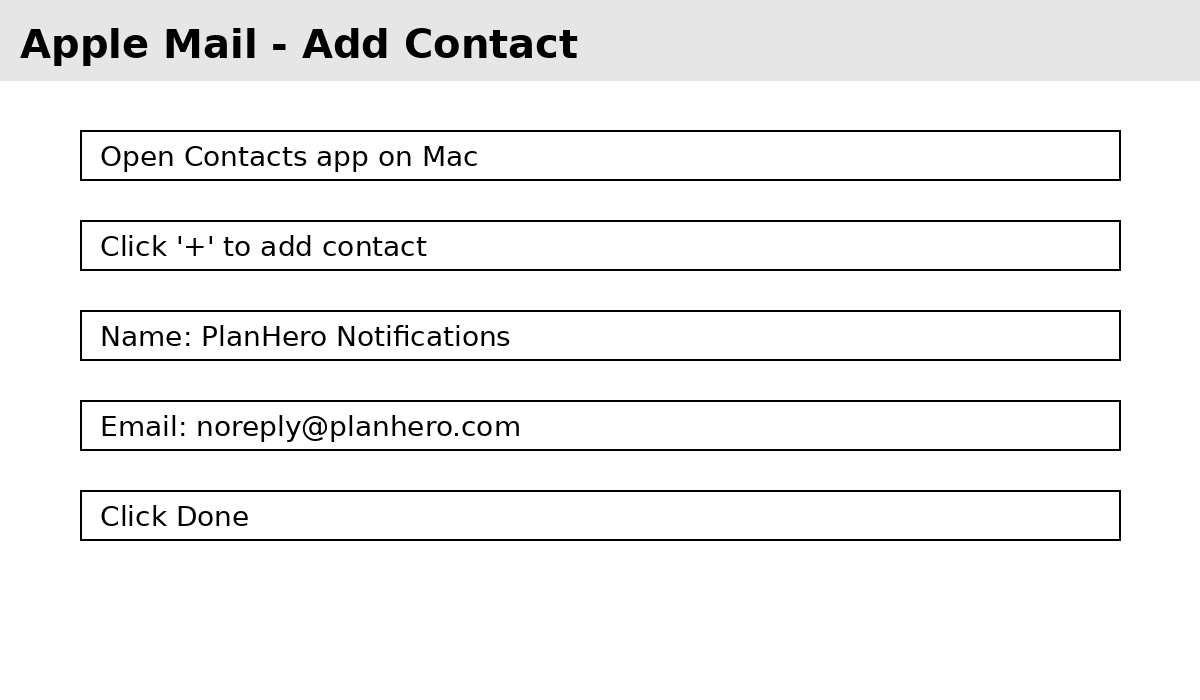
Apple Mail – Add noreply@planhero.com as a Contact
Apple Mail – Create a Mail Rule

Outlook – Add noreply@planhero.com as a Contact

Outlook – Create an Inbox Rule