


Volunteer Training Tracking Made Simple with PlanHero Checklists
Managing volunteers, members, and employees often means keeping track of much more than event signups. Organizations also need to know who has completed required training, who’s due for recertification, and who still needs to submit important documentation.
That’s why we’re excited to introduce Checklists, a powerful new feature available exclusively with the PlanHero Impact Plan.
Whether you’re managing ten volunteers or thousands of members across multiple locations, Checklists helps ensure that everyone stays compliant—and nothing falls through the cracks.
What Are Checklists?
Checklists allow your organization to create and manage compliance requirements for your participants.
Examples include:
- CPR Certification
- First Aid Training
- Safe Environment Training
- Food Handler Permits
- Driver Certifications
- Volunteer Orientation
- Annual Policy Acknowledgements
- Equipment Certifications
- Any custom requirement unique to your organization
Instead of tracking these items in spreadsheets—or trying to remember who still needs what—you can manage everything directly inside PlanHero.
Assign Checklists Exactly Where They’re Needed
One of the biggest advantages of Checklists is their flexibility.
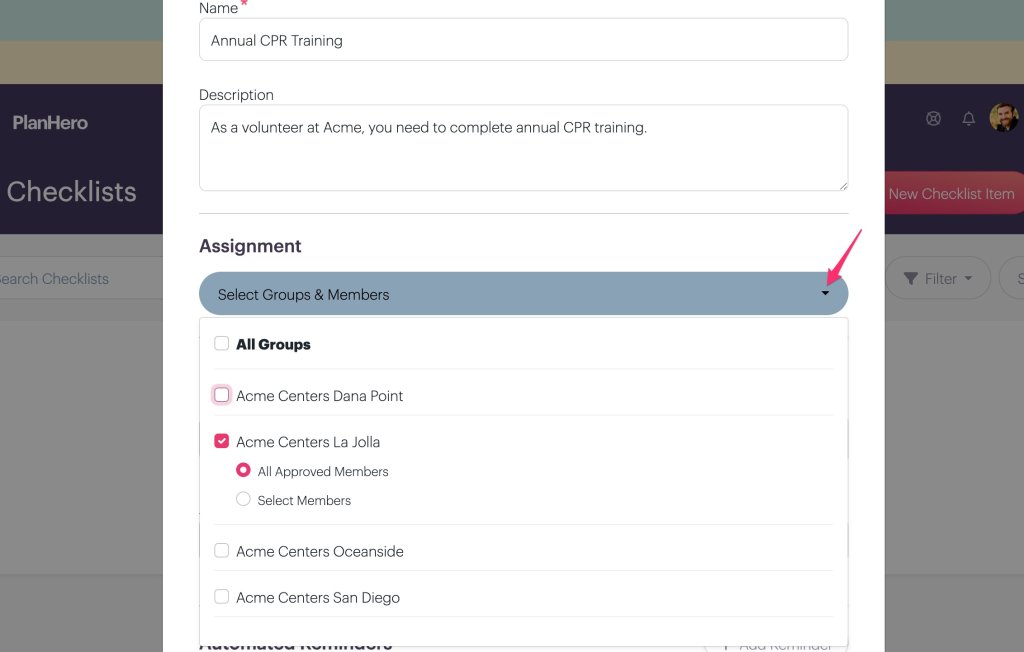
You can assign a checklist item to:
- All Groups across your organization
- Specific Groups
- Individual Members within a Group
This means you can easily require:
- CPR Training for your Medical Response Team
- Child Protection Training only for Youth Ministry volunteers
- Driver Certification only for transportation volunteers
- A leadership orientation only for Board Members
Each requirement goes only to the people who actually need it.
Create Requirements in Seconds
Creating a new Checklist Item is simple.
Watch our How to Video here, or follow the instructions below:
From the Impact menu, choose Checklists, then click New Checklist Item.

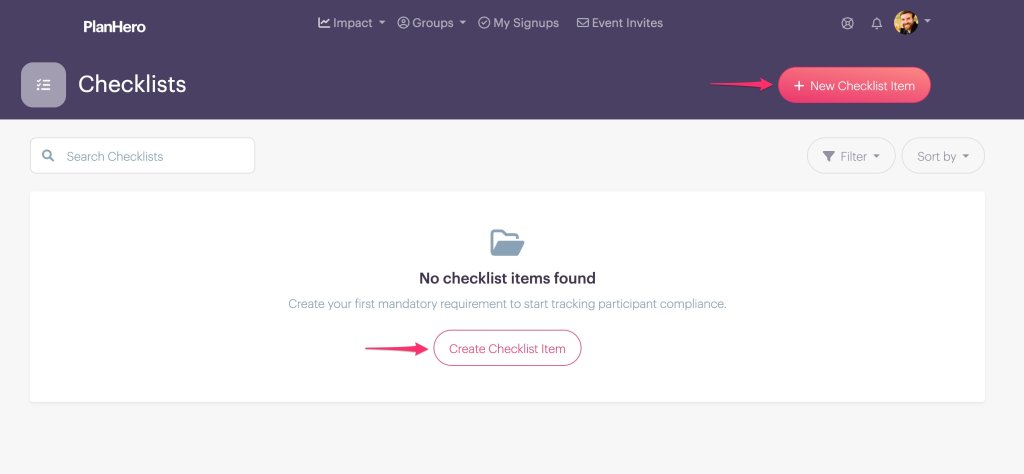
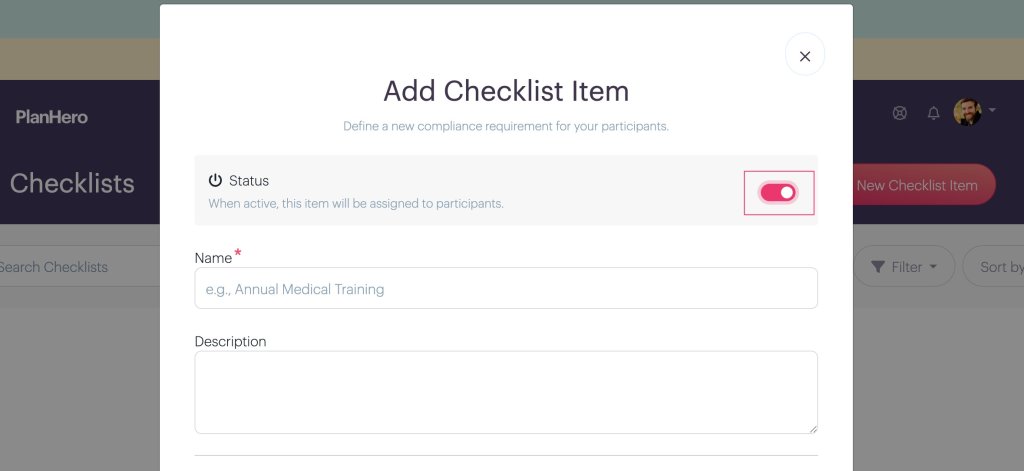
From there you can:
- Give the checklist a name
- Add a description
- Turn it Active or Inactive
- Select who should receive it
- Configure expiration rules
- Add automatic reminder notifications
The entire process takes only a minute or two.
Flexible Expiration Rules
Not every requirement works the same way.
Some certifications never expire.
Others must be renewed every year.
Still others expire after a certain amount of time.
PlanHero supports all of these.
Choose from expiration types including:
- One Time
- Periodic
- Annual
- Upon Expiration


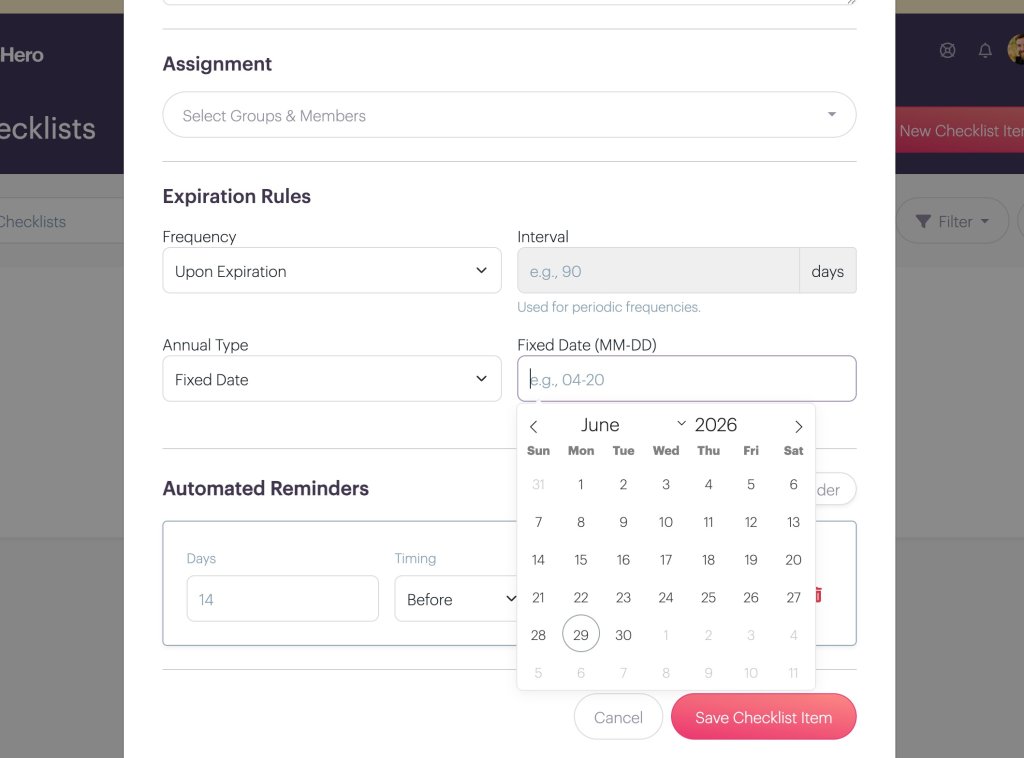
You can even configure:
- Renewal intervals
- Annual fixed renewal dates
- Recurring compliance schedules
This allows your organization to match virtually any certification or training requirement.
Automatic Reminder Notifications
No one enjoys manually reminding dozens—or hundreds—of participants that something is about to expire.
Checklists can automatically send reminder messages before a requirement becomes due.
You decide:
- How many days before
- When reminders should be sent
- The reminder message itself
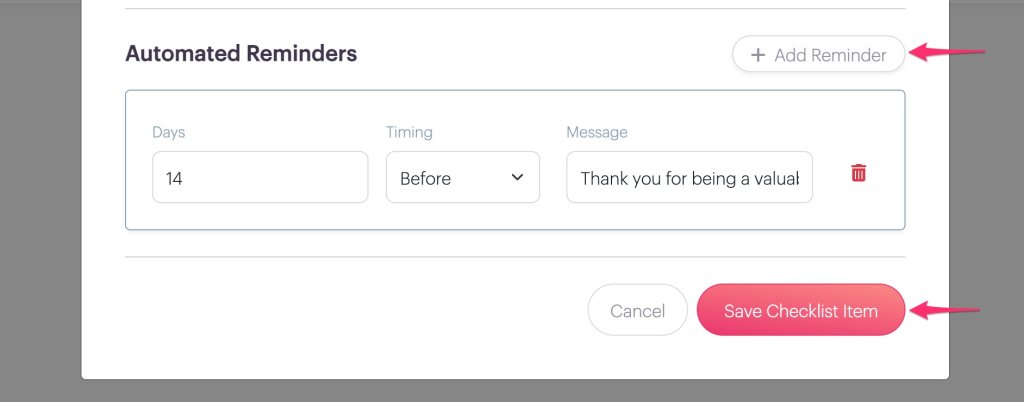
Need multiple reminders?
Simply add additional reminder schedules.
It’s an easy way to improve compliance while dramatically reducing administrative work.
Perfect for Multi-Location Organizations
Organizations with multiple campuses, chapters, schools, ministries, or offices often struggle with keeping different requirements organized.
Because Checklists can be assigned by Group, every location can have its own compliance requirements while still being managed from one centralized PlanHero account.
It’s another reason why Checklists fit perfectly within the PlanHero Impact Plan.
Why Organizations Love It
Instead of juggling:
- spreadsheets
- calendar reminders
- sticky notes
- email folders
- separate compliance software
…everything lives inside the same platform where you’re already managing your volunteers, members, employees, Groups, and Events.
That means fewer systems, fewer mistakes, and far better visibility into who’s ready to serve.
Available Exclusively with the PlanHero Impact Plan
Checklists is one of the many advanced organizational management features included with the PlanHero Impact Plan.
If your organization needs more than volunteer scheduling—if you need a better way to manage people, training, certifications, and ongoing compliance—the Impact Plan was built for you.
Because managing your people shouldn’t require managing another spreadsheet.
Ready to simplify training and compliance? Explore the PlanHero Impact Plan today and discover how Checklists can help your organization stay organized, compliant, and ready to serve.
